I am very new to all this AI stuff. I am playing around with LM Studio.
So far so good.
However, now I would like to try text to image.
However, it seems like every model for that requires all kinds of scripts to run before and after.
I don’t want to deal with all that. I just want to download a model, load it and go.
Are there any text to image models that support that? Or am I just missing something?
Super new, old, fat and lazy!!! 
1 Like
These are some well-known GUIs for text-to-image models.
You’ll probably get the hang of how to use them, but it might be better to search for how-to articles and follow them at first.
There are many detailed guides available.
1 Like
ComfyUI is probably the easiest way to run text-to-image models (as well as text to video and image to video!). Do keep in mind that most image generator models do require a bit of compute.
1 Like
From what I gathered from lurking on reddit past year is that the most polished up to date UI is https://github.com/mcmonkeyprojects/SwarmUI - Its a fork of an older “official SwarmUI”. The company who made it got bought out and, and devs created a properly maintained fork. Basically its a ComfyUI wrapper made for simplicity but still retaining cutting edge full power of the Comfy under the hood
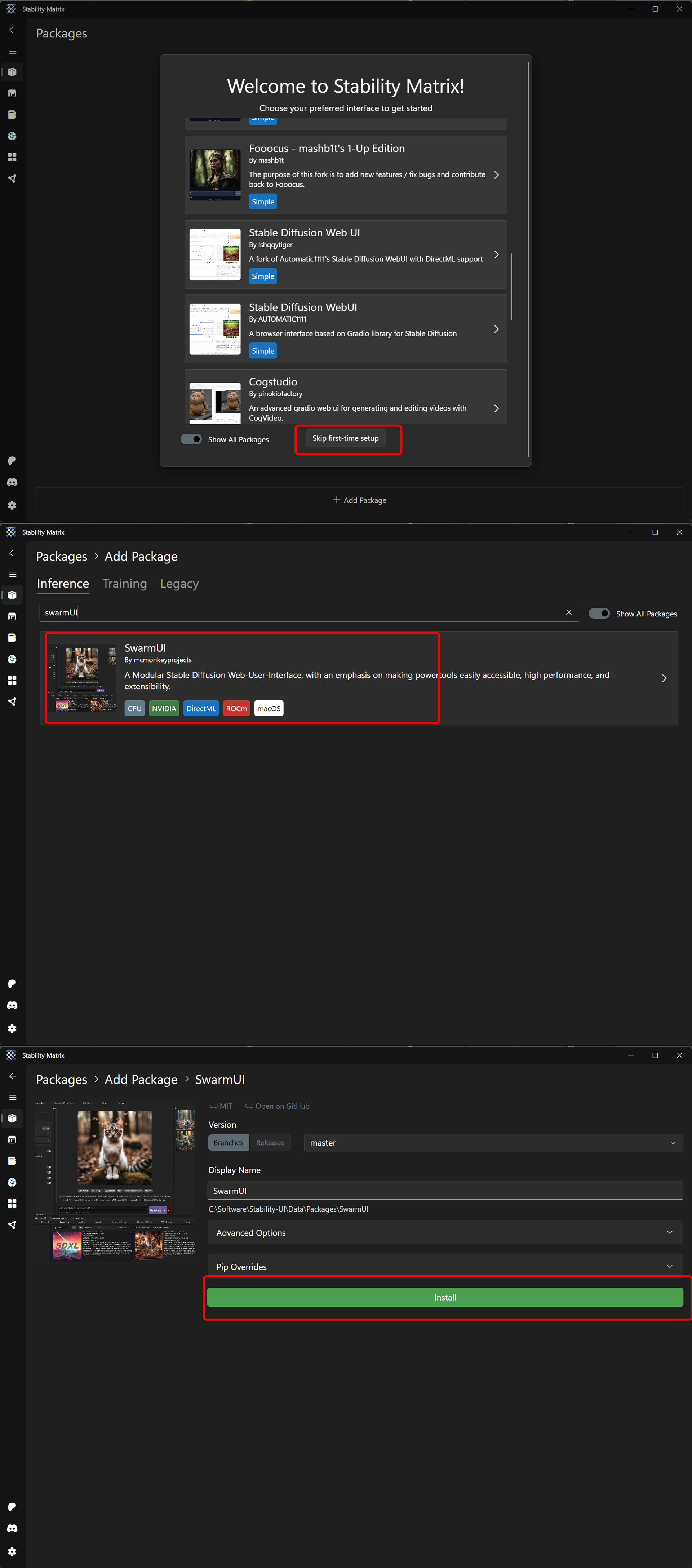
Although it can be a bit hassle-y to set up for the first time. So I suggest to use “manager” interface GitHub - LykosAI/StabilityMatrix: Multi-Platform Package Manager for Stable Diffusion for dependency installation. Its a one click “pratable” installer that manager all the python under-the-hood crap similar to LMstudio
So the setup would be: StabilityMatrix (package manager) → SwarmUI (Frontend with Decent UI) which includes ComfyUI (powerful backend with cutting edge advanced features)
The only caveat is that you’ll need to press “Skip” on the first screen in StabilityMatrix and find SwarmUI in search manually
1 Like